Call Garreth, Cameron & CallyAI: 0115 9893488

FREE UK shipping on orders over £100.00 & FREE gifts on checkout

Useful Links
Your Account

Talk to us

Garreth, Cameron & CallyAI · Mon to Fri
Call 0115 989 3488Free advice on your build
Thanks, that’s with us. We reply the same working day.
That didn’t send. Please give us a call instead.

Useful Links

Quick Access

Want to chat?

Call Garreth, Cameron, CallyAI
Today On: 0115 9893488
Click Here For Our Contact Form


Your garage and kit bag

How it works on SportSeats4U

Put your number plate in once and SportSeats4U knows what you drive. The site shows you the direct-fit frames and brackets that fit it, marks what fits on every page you look at, and keeps your cars, the parts you have saved and the kit you have bought in one place: your garage.

This page explains all of it, with screenshots from the live site. If anything here does not do what it says, ring Garreth, Cameron or Jack on 0115 989 3488.

  • Find the direct-fit frames and brackets for your car from its number plate
  • Save up to 10 cars in your garage, with photos
  • Your kit bag keeps the racewear you have bought, in your sizes
  • One account works across GSM Performance, SportSeats4U and BigBrakes4U
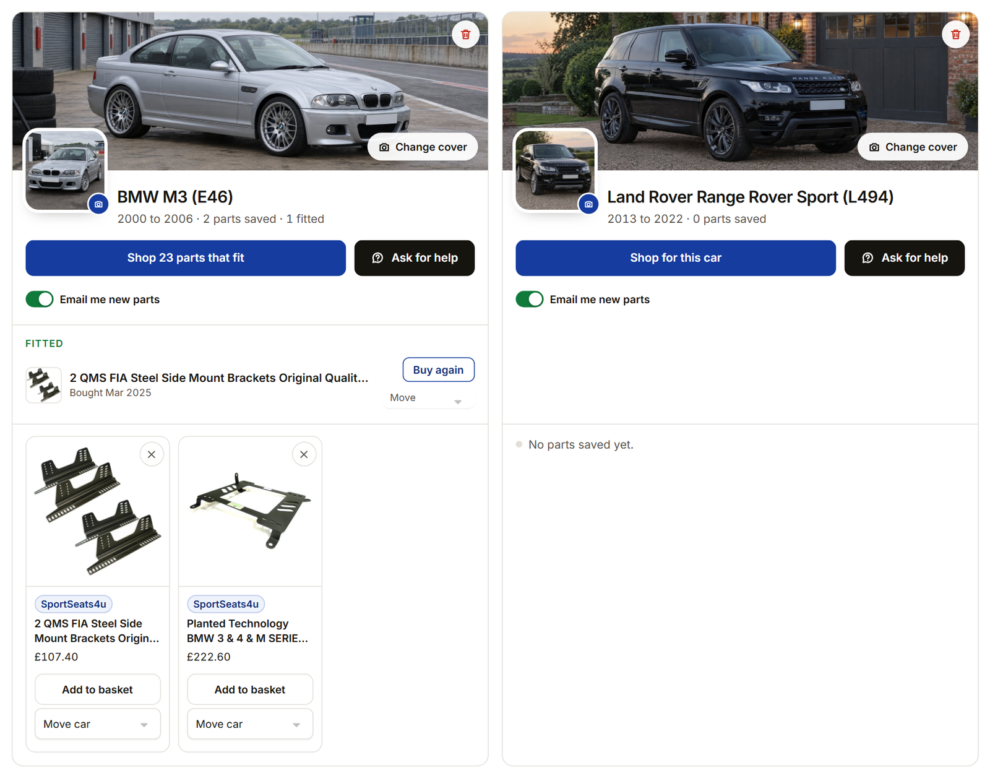
Two car cards in a garage, a BMW M3 E46 and a Range Rover Sport, each with a cover photo and a profile photo
A garage on SportSeats4U with two example cars: each car has its own cover and profile photo, parts to shop, a question button and an email switch.

Where everything is

WhatWhere on SportSeats4U
Number plate boxIn the header on every page, in the phone menu, on the homepage, and on the Find parts for your car page
Parts that fit your carwww.sportseats4u.co.uk/find-parts-for-your-car/
Your garagewww.sportseats4u.co.uk/garage/, or Garage in the header, or Your garage in My Account
What the finder matches hereDirect-fit seat frames, sub-frames and seat brackets
The old wishlist has moved into your garageAnything that was on your wishlist is now in your garage, and the old wishlist address takes you straight there.

Finding parts from your number plate

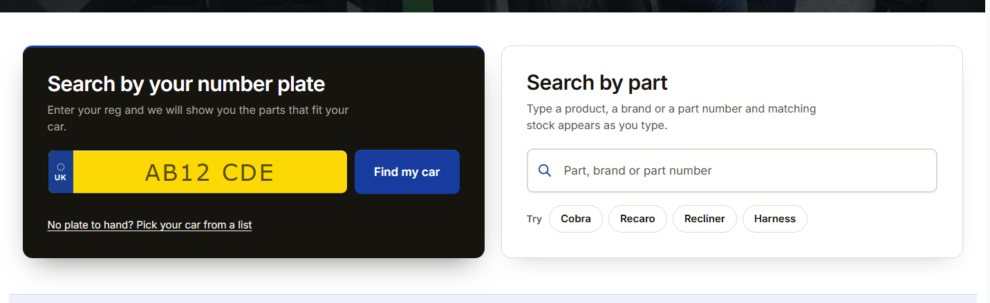
The yellow number plate box sits in the header on every page, with a Find my car button. On a phone it is in the menu that slides out. On the homepage it sits just under the banner, beside the product search, with a few Try chips of popular searches underneath. On a phone the plate comes first.

The yellow number plate box and Find my car button in the site header
The plate box in the header, on every page.
The homepage band with the number plate box beside the product search
On the homepage, the plate sits beside the product search.
▢

Type the plate

Spaces do not matter. There is no need to know your model code or generation.

⚙

We check the car

The plate is checked against the official DVSA vehicle record, and we match that to the cars in our catalogue.

★

See what fits

One clear match goes straight to the parts that fit, grouped by type, with a price on every one.

☰

It remembers

Your car is remembered on that device, so every page after that knows what you drive.

When there are two possible versions

Some cars changed shape or parts partway through a year. When the plate could be one of two versions, you get a short “Which one is yours?” question with the choices and their years. The finder uses the details on the DVSA record, such as trim, body style or the M badge on a BMW, to ask as little as possible.

The Which one is yours question offering two versions of a car
The "Which one is yours?" question, when a plate could be either of two versions.

Or pick your car from a list

No plate to hand, or rather choose by hand? Press “Or pick your car from a list” under the plate and choose the make and model. It takes you to the same parts.

The results page

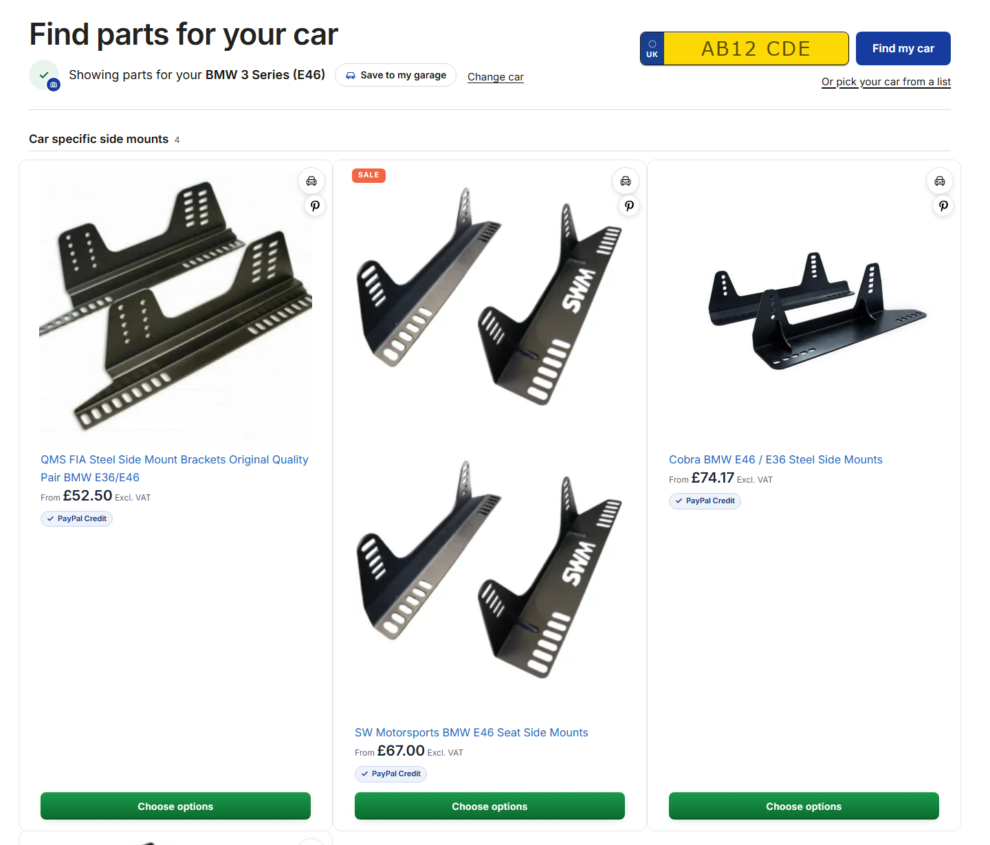
A bar at the top says “Showing parts for your” and the car, with Change car and Save to my garage beside it. The parts underneath are grouped by type, using the same product cards as the rest of the shop.

A part marked Should fit is one we believe fits but have not fully confirmed. We check those against your car before we send them. You can also tap to add a photo of your car here; when you are signed in, it goes to your garage.

The Find parts for your car results page for a BMW 3 Series E46
The results page for a BMW 3 Series (E46), picked from the list.

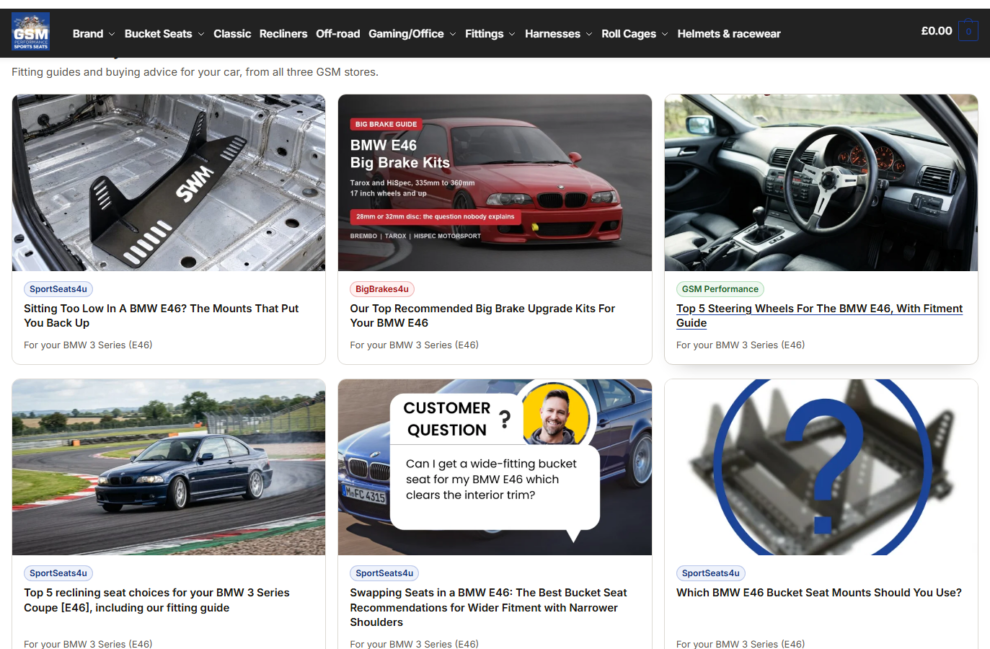
Under the parts, Guides about your car lists the blog guides and articles from all three of our shops that mention your car, from fitting guides to buyer’s guides.

Guides about your car listed under the parts
Guides about your car, from all three shops, under the parts.
Older and rebadged carsThe finder knows that an Austin, Morris or pre-2001 Mini is the classic Mini, and that a Vauxhall and an Opel are the same car under another badge. Older plates and Vauxhall plates find the right parts.

When we do not list parts for your car yet

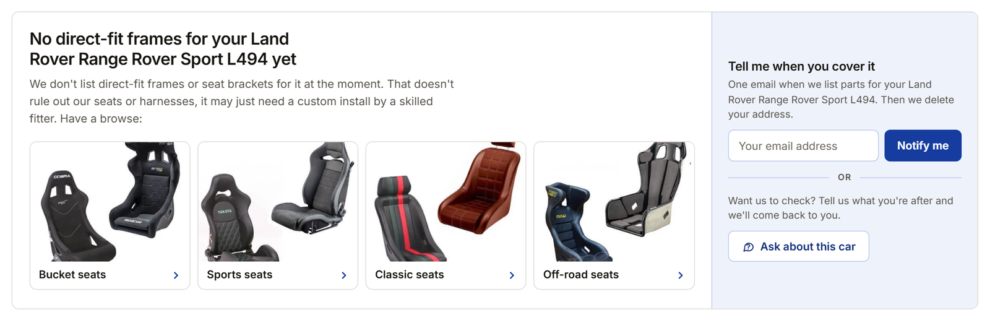
You do not hit a dead end. A panel says plainly what we do not have, for example “No direct-fit frames for your car yet”. That does not rule out our seats or harnesses. Seats themselves are universal, so it may just need a custom install by a skilled fitter.

Underneath are picture tiles of our main ranges (bucket seats, sports seats, classic seats and off-road seats), so you can carry on shopping, and two ways to reach us:

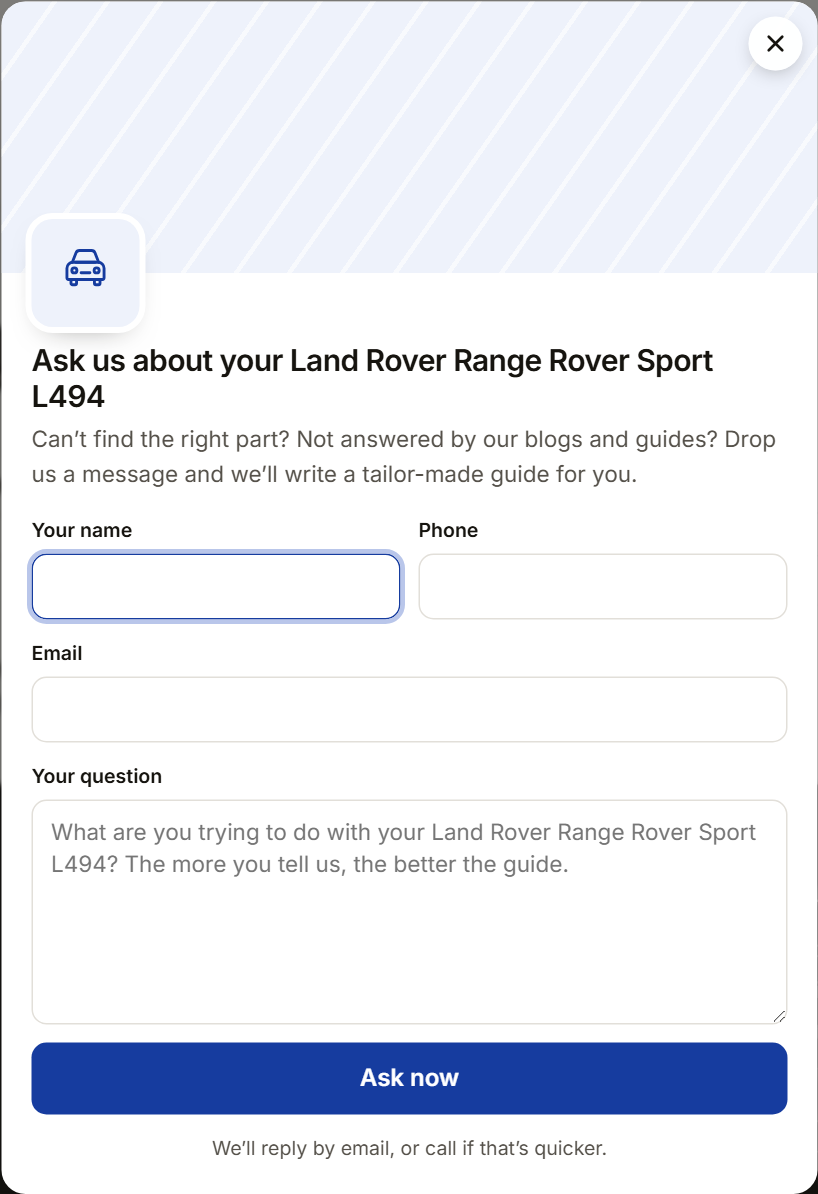
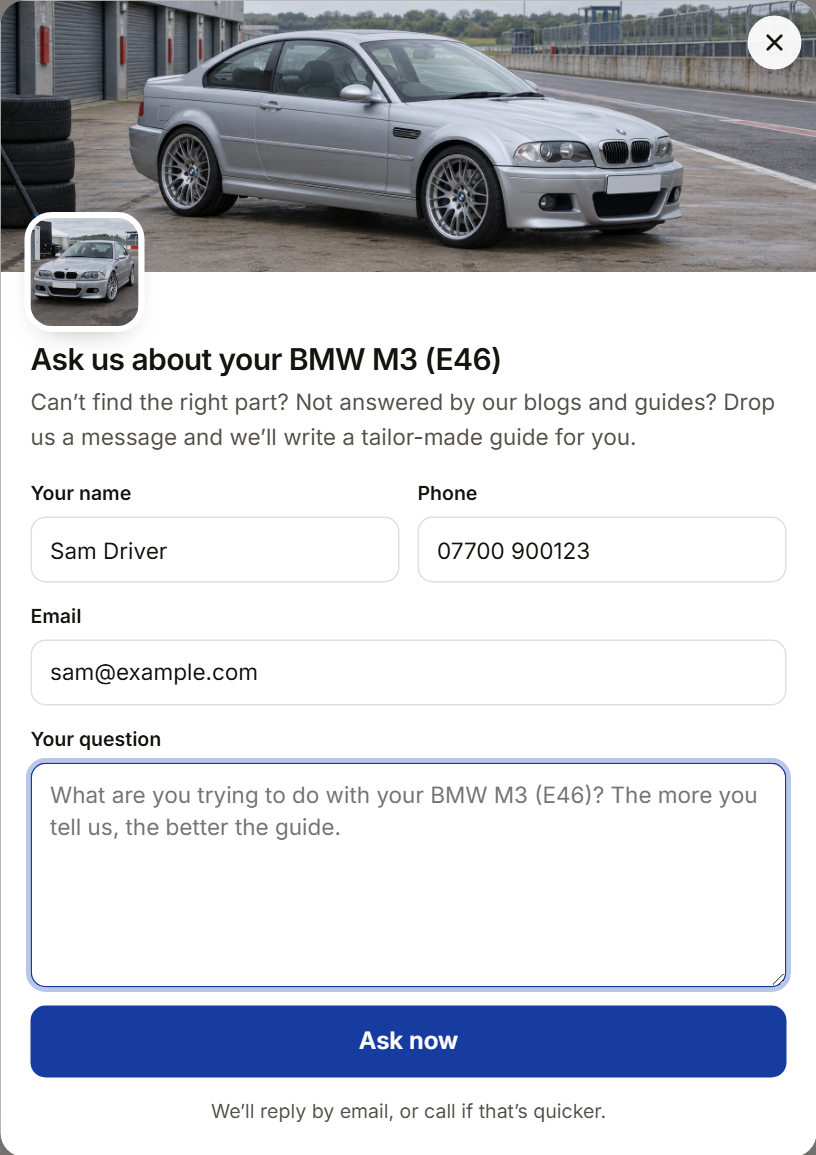
  • Ask about this car opens a short question form on the page (name, email, phone and your question, filled in for you if you are signed in). It goes straight to the team.
  • Tell me when you cover it: leave your email address and tick the box. When we list parts for that car, you get one email with a link straight to them, and then the address is deleted. If we still do not cover it after 12 months, the address is deleted anyway.
The panel shown for a car we do not list parts for yet, with category tiles
The panel for a car we do not list parts for yet, with the category tiles and the two ways to reach us.
The Ask about this car question form
Ask about this car: a short form that goes straight to the team.

Shopping with your car set

Once a car is set, from a plate, your garage or the switcher, the whole shop knows it.

The switcher in the header

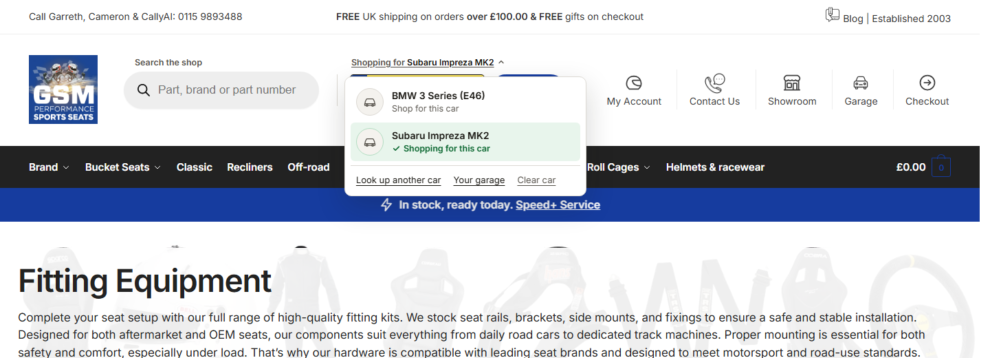
The words above the header plate change to “Shopping for” and your car. Click them and every car in your garage is listed, so you can switch from the track car to the daily in one click. It is in the phone menu too.

The Shopping for car switcher open in the header with two cars
The "Shopping for" switcher, open, with two cars in the garage.

Fits your car, on category and search pages

On any category or search page that holds parts we track, a bar above the products says how many of them fit, in the form “N of M fit your” car. Show only these filters the page down to the parts that fit, and the product cards carry “Fits your car” or “Should fit” tags. With no car set, the bar offers a plate box instead, and you stay on the same page after the lookup. Pages with nothing car-specific, helmets for example, show no bar.

The bar above a category showing how many products fit your car, with Show only these
The fits bar above the products, with Show only these.

On every product page

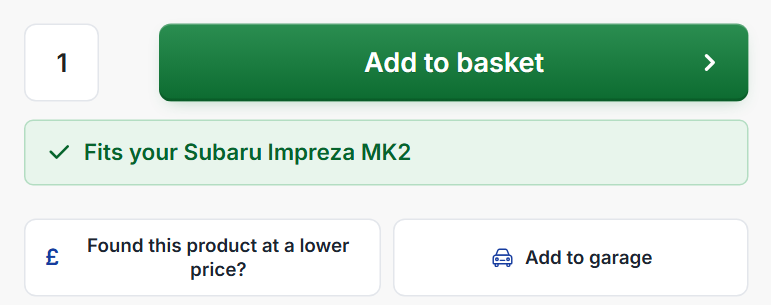
Under Add to basket you will see one of three notes: “Fits your” car; “Should fit your” car, with “We will confirm before dispatch”; or “Not listed as fitting your” car, with a link to what does fit. “Fits” means the maker lists the part for your car. We do not hold technical data of our own, so if you are unsure, ring us before you order.

A product page with the fitment note under the price and the Add to garage button
The fitment note under Add to basket, then Add to garage.

Your garage

Get to it from Garage with the car icon in the header, the Garage tile in the phone menu, the Your garage tab in My Account, or straight at /garage/.

Add your car sits beside the “Your garage” heading. Type the plate, press Look up, then Add to garage. A garage holds up to 10 cars.

★

Signed in

Your garage is kept on your account and appears on all three of our shops: GSM Performance, SportSeats4U and BigBrakes4U.

⏳

Not signed in

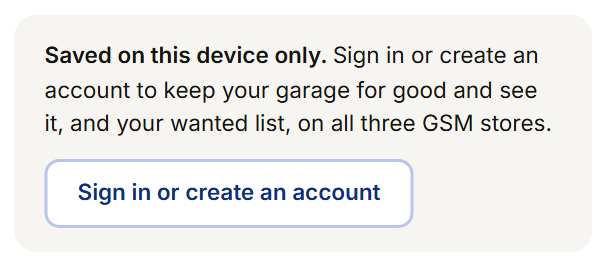
The garage works straight away but is saved on that device only. Sign in or create an account to keep it for good; your guest garage merges into your account when you do. A guest garage nobody uses for 12 months is removed.

Each car's card

  • Cover photo and car photo. “Add a cover photo” across the top and a square car photo with a camera badge. Photos are for signed-in customers, up to 5 MB, and the hidden location data in phone photos is removed.
  • Name, years and counts, such as “0 parts saved · 1 fitted”, with the number plate as a small yellow plate.
  • Shop N parts goes straight to that car’s parts.
  • Ask opens a question form with the car’s photos at the top. It goes to the team, who reply by email or phone.
  • Which one is it? When we need the exact version to be sure of fitment, the card asks with a few chips.
  • Email me new parts, a switch for signed-in customers (see Staying in touch).
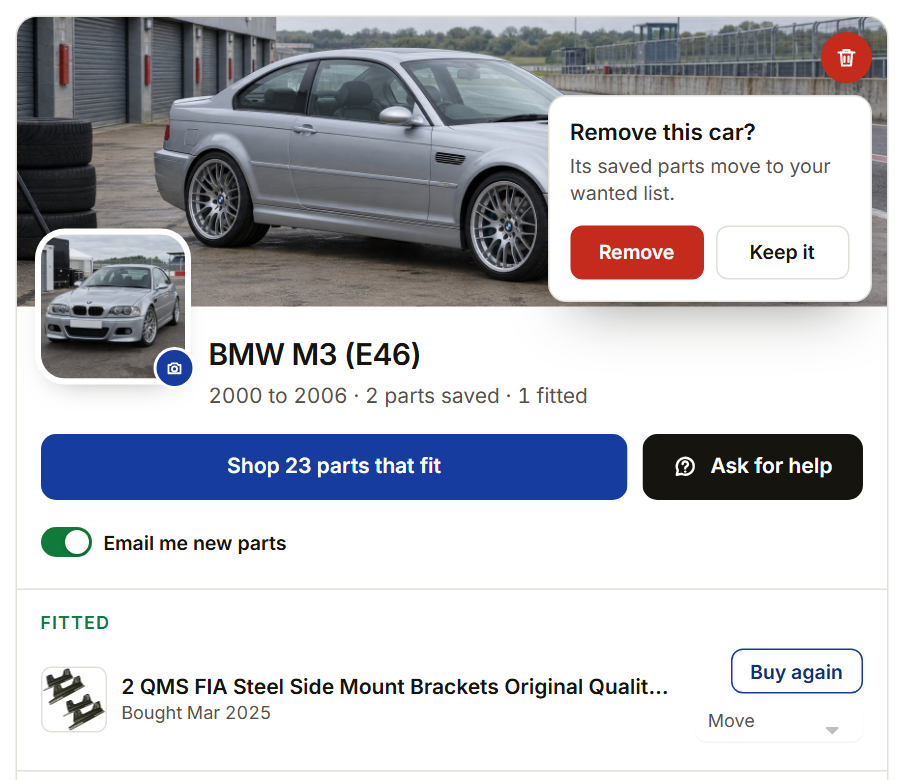
  • Remove car, the small red bin on the cover, asks “Remove this car?” first. Saved parts are never lost; they move to your wanted list.
The note that a guest garage is saved on this device only
Not signed in: the garage is saved on this device only.
The Ask for help form from a car in the garage
Ask for help, from a car card.
The Remove this car confirmation on a car card
Remove asks first; saved parts move to the wanted list.

Add to garage, on every product

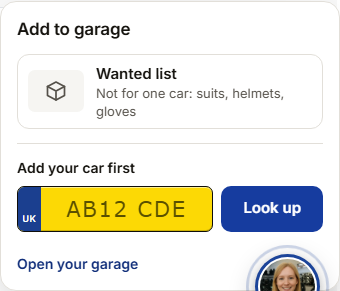
On a product page, Add to garage sits with the price-match box, under Add to basket. On product cards in a grid there is a small round button with a car and a “+” at the top right of the picture. Either one opens a picker: choose one of your cars, the wanted list, or add a new car there and then.

The Add to garage picker listing cars and the wanted list
The picker: one of your cars, the wanted list, or a new car.

Bought from us, Fitted and your kit bag

When you are signed in, parts you have bought from any of our three shops appear in your garage on their own. Only completed orders count, and refunded items never appear.

The Bought from us strip at the top tells you how many parts are waiting to be sorted. Each has a one-tap suggestion, such as “Fitted to” one of your cars when it fits it, or “Put in kit bag” for racewear. “Somewhere else” lets you choose any car, the kit bag, or “Don’t show it”, and Sort all takes every suggestion in one go.

The Bought from us strip with parts waiting to be sorted
Bought from us: each part waits for you to put it on a car or in the kit bag. Parts from all three shops are tagged with the shop they came from.

Fitted, on each car, lists the parts you have put on it, with the size or options and when you bought them. A part bought more than once shows once, for example "Bought twice, last Mar 2025".

Buy again puts exactly the same part, in the same size and options, straight into your basket, even when you bought it on another of our shops.
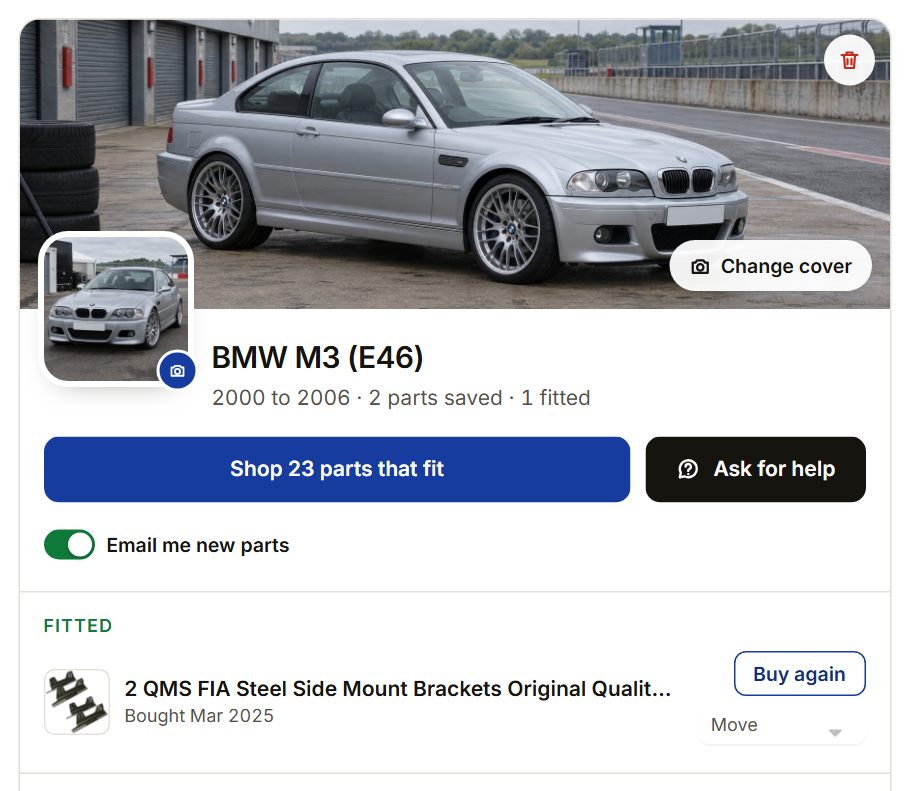
A car card with a Fitted part and Buy again
A car with a Fitted part, and Buy again.

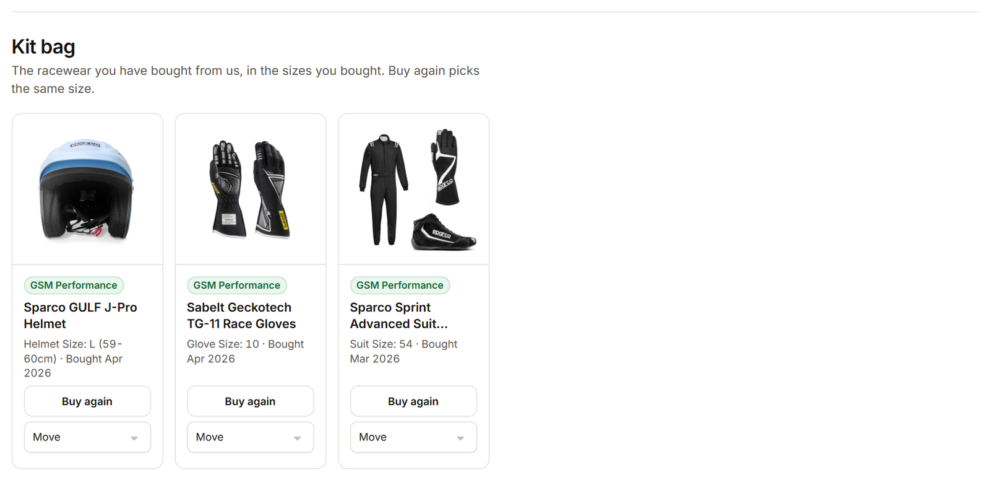
Your kit bag is the racewear you own (helmets, suits, boots, gloves and HANS), in the sizes you bought, ready for race day. Buy again picks the same size. Anything can be moved or hidden, and hidden parts can be brought back from the kit bag.

The kit bag with racewear bought, each with Buy again
The kit bag, with Buy again in the size you bought.

The wanted list and guides for you

The wanted list is for kit that is not for one car, such as suits, helmets and gloves. When you are signed in it is the same on all three shops, and each item shows which shop it is from, in that shop’s colour.

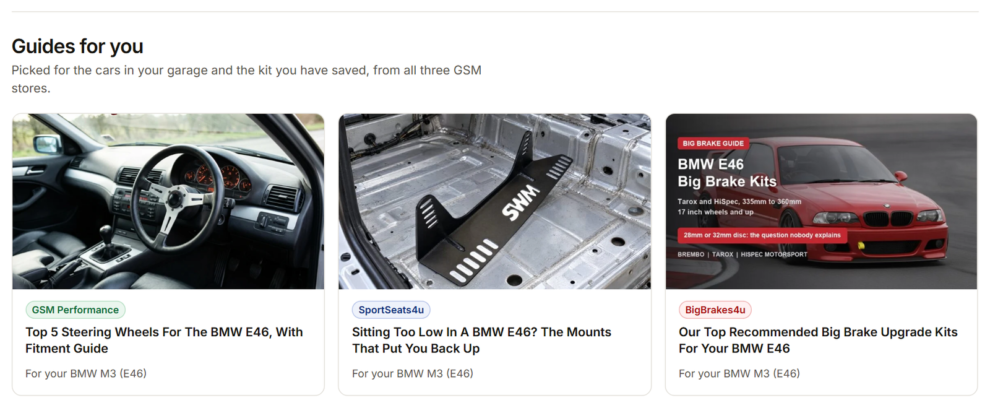
Under your lists, Guides for you picks guides and articles from all three shops for the cars in your garage and the kit you have saved: a fitting guide for your exact model, say, or a buyer’s guide for the helmet on your wanted list. Each one is tagged with its shop.

Guides for you, picked for the cars in the garage
Guides for you, picked for the cars in the garage.

Staying in touch, only when you ask

  • New parts emails. When you save a car while signed in, you can tick “Email me when new parts arrive for this car”. It starts unticked, and each car has its own on/off switch on its card. You get at most one email a week, on Tuesday mornings, and only when something new that fits has been listed. It comes from Garreth, Cameron and Jack.
  • Parts for a car we had nothing for. If you saved a car we had nothing listed for, and we later list parts that fit it, that week’s email tells you, with a button to see them.
  • Stopping them. Every email has a one-click “Stop these emails” link for each car.
  • Asking the team. Ask for help in the garage and Ask about this car in the finder both go straight to our inbox. We reply by email, or ring you if that is quicker.
  • Chat that knows your car. Open the chat in the corner and Cally, our assistant, greets you. If you have looked up a car or have one in your garage, she follows up about it, and signed-in customers are greeted by name. Cally can also look up a number plate for you in the chat.

Your privacy, in plain words

  • Plate lookups. The plate is checked with DVSA to identify the car. The record of the lookup is kept for up to 13 months to help us improve the finder, and it is not linked to your name, email or account. Parts browsing data is kept for up to 25 months.
  • Your garage, signed in. We keep each car’s number plate, make, model and year, its photos and the parts you save against it, until you remove the car or close your account. Closing your account removes the cars, photos and lists from all three shops.
  • Guest garages are stored on that device and removed after 12 months without use.
  • Emails only go out when you have ticked for them, and every one has a way to stop.
  • Photos are for signed-in customers only, and location data is stripped from them.

The full detail is on our Security and privacy page.

Questions

No. It works straight away on your device. Create an account or sign in to keep it for good and see it on all three of our shops.

A plate lookup is not linked to you. If you save a car to your garage while signed in, we keep the plate with the car so you can see it, until you remove the car.

Some cars changed shape or parts partway through a year. Picking the right one makes sure the parts shown really fit.

We believe it fits, and we will confirm it against your car before we send it.

Very often, yes. Browse the ranges shown, press “Ask about this car”, or give us a call on 0115 989 3488.

The racewear you have bought from us, in your sizes, so you can buy the same again in one tap.

Parts you have bought from us and told us you have fitted to that car.

Yes. “Shopping for” in the header lists the cars in your garage.

Every email has a one-click stop link, and each car has an on/off switch in your garage.

Press the small red bin on its cover and confirm. Its saved parts move to your wanted list.

Stuck on anything?

Ring Garreth, Cameron or Jack

If the finder, your garage or the kit bag does not do what this page says, or you would rather just tell us the car, call us and we will sort it out.

Call 0115 989 3488 Open your garage
Free UK Shipping

On all orders above £100

In-Store Shopping

Try before you buy

Easy Delivery Tracking

Aftership Tracking Updates